
Windows 11 26H2
Windows 11 26H2 is now available for eligible Windows 11 devices. If your device isn’t receiving the feature update through Windows Update, you can check for updates manually.
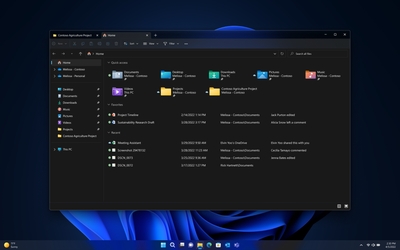
Windows 11 continues to evolve with a modern and user-focused computing experience, and this latest update brings further improvements to productivity, accessibility, security, and everyday usability. The release builds on the existing Windows 11 experience rather than introducing a completely redesigned interface, refining many of the features users already rely on. The Start menu and Taskbar receive additional usability and customization improvements, while File Explorer gains several enhancements designed to make navigating and managing files easier. Windows Search has also been improved, helping users find applications and content more easily, even when search terms contain spelling mistakes or incomplete names. For multitasking, features such as Snap Layouts and Snap Groups continue to make it easier to organize open windows and applications. These tools are particularly useful for users who regularly work with multiple programs at the same time. The update also includes accessibility improvements to Narrator, Magnifier, and Voice Access, providing more ways for users to interact with and customize Windows. Security remains another key focus, with enhancements including stronger administrator protection, improved driver security, expanded Windows Hello capabilities, and support for newer cryptographic technologies. These improvements help protect devices, accounts, and personal data against modern security threats. For compatible systems already running Windows 11 24H2 or 25H2, the update is delivered through an enablement package, allowing the new features to be activated with a relatively small download and a single restart. Overall, this release continues Microsoft's focus on making Windows more secure, accessible, productive, and refined for everyday use.
Service Pack 1 for Microsoft Office 2013 contains new updates which improve security, performance, and stability. Additionally, the SP is a roll-up of all previously released updates.
Windows 11 26H2 is now available for eligible Windows 11 devices. If your device isn’t receiving the feature update through Windows Update, you can check for updates manually.
The Office 2007 Service Pack 3 provides the latest updates to the 2007 Microsoft Office suite.
Microsoft .NET Framework 4.8.1 (Offline Installer) for Windows 7 SP1, Windows 8.1, Windows 10 Anniversary Update, Windows 10 Creators Update, Windows Server 2008 R2 SP1, Windows Server 2012, Windows Server 2012 R2 and Windows Server 2016.
Contains new updates which improve security, performance, and stability. Additionally, the SP is a roll-up of all previously released updates.
Provides ongoing improvements to the Windows Operating System (OS), includes previous updates delivered over Windows Update as well as continuing incremental updates to the Windows 7 platform (DVD iso)
Download genuine Windows and Office disk images directly from Microsoft's servers, in a very easy and comfortable way.